A password manager for iPhone

Your passwords never leave your pocket.

Skelett keeps every password, passkey and 2FA code in an encrypted vault on your device. No account to create. No company cloud to trust. One master password — and it's yours, not ours.

Download on the App Store

Free · Pro optional
iPhone & iPad, iOS 17+

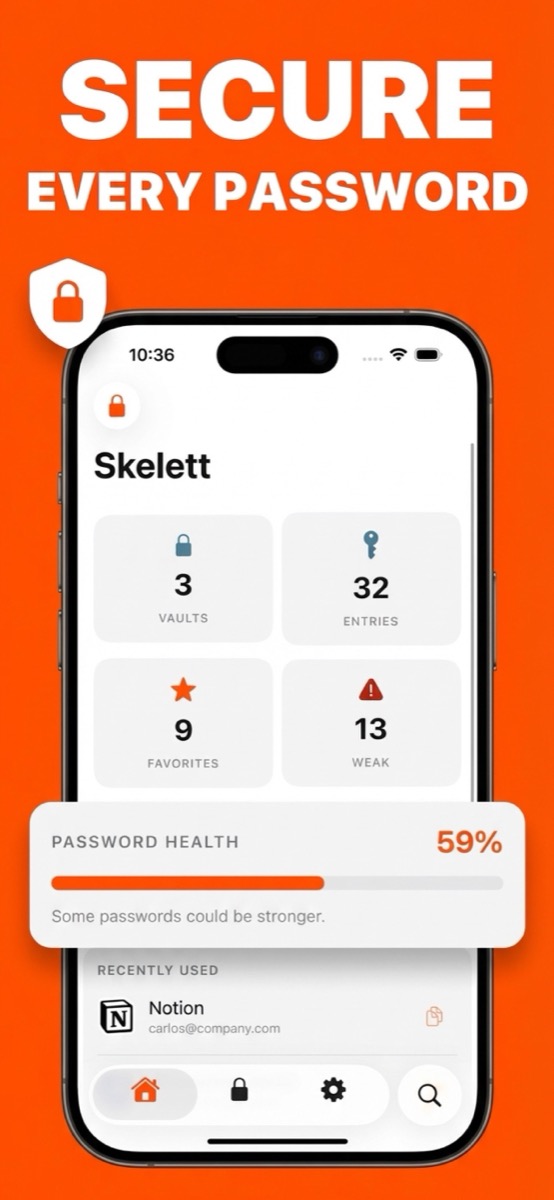
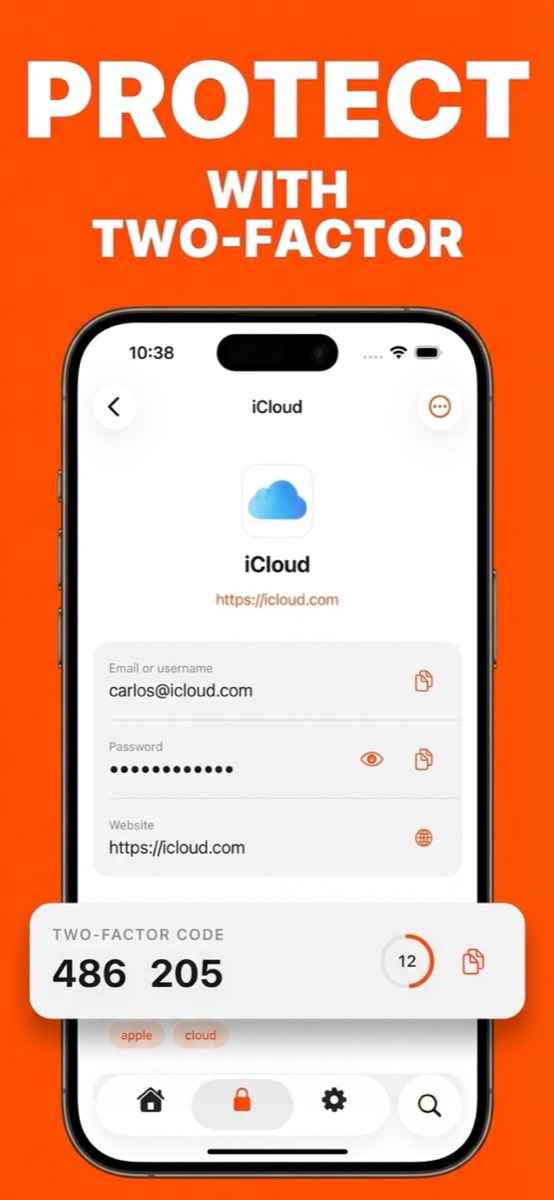
Skelett home screen showing vaults, entries and password health Skelett generating a two-factor authentication code

01 — The promise

What we can see about your vault

Most password managers ask you to trust their cloud. Skelett is built so there is nothing to trust — this table is the whole business model.

Your passwords & passkeys
NOTHINGEncrypted on-device with a key derived from your master password.
Your master password
NOTHINGIt never leaves your iPhone. We couldn't reset it even if you asked.
Your cards, IDs, notes & files
NOTHINGEncrypted with the same vault key as your passwords.
Which sites you save
NOTHINGEven site icons are drawn on-device — no lookups to anyone's servers.
Your vault, in transit
NOTHINGSync goes through your private iCloud. We don't run servers — there's nowhere to send it.
Usage
ANONYMOUS COUNTS, IF YOU ALLOWLaunches and feature taps — never contents. One switch in Settings turns it off.

Read the full security model →

02 — The mechanics

One password in. Nothing out.

No signup flow, no sync service subscription, no "trust us." Here is the entire architecture:

STEP 01

Choose a master password

It's stretched through PBKDF2 × 310,000 into an encryption key. The password itself is never stored and never transmitted — only you know it.

STEP 02

Everything is sealed on-device

Passwords, 2FA secrets, cards, identities, notes, attachments and passkey keys are encrypted with AES-256-GCM before they ever touch disk.

STEP 03

Sync through your iCloud

Encrypted records ride your private iCloud between your devices. New iPhone? Sign into iCloud, enter your master password, done.

03 — The tools

Everything a vault should do

Skelett isn't a demo of a security model — it's a daily driver.

AutoFill everywhere

Passwords and passkeys appear right on the keyboard in Safari and apps, matched to the correct site.

2FA codes built in

Scan a QR and get rotating codes next to the password they belong to — including SHA-256/512, 8-digit and custom-interval codes.

Passkeys

Create and sign in with passkeys, stored encrypted like everything else.

Cards, identities & notes

Credit cards, personal details and secure notes — encrypted, organized, one tap to copy.

Attachments

Keep recovery codes, document scans and small files inside the vault, sealed with the same key.

Password health

A real strength score computed on-device, with a home-screen widget to keep you honest.

Generator

Cryptographically uniform passwords with guaranteed character variety. No modulo bias — we checked.

Import in minutes

Bring your vault from 1Password, Bitwarden, LastPass, Chrome or Safari with a CSV/1PUX file.

Face ID & auto-lock

Unlock with your face, relock on a timer you choose, and a privacy shield hides your vault in the app switcher.

Multiple vaults

Separate work from personal, or share-of-mind from archive. Move items between vaults freely.

04 — The price

Free where it counts

The security model is never the paid part. Pro adds organization and power features.

Free

Skelett

  • Unlimited passwords & passkeys
  • AutoFill, Face ID, iCloud sync
  • 3 two-factor (2FA) codes
  • 1 vault
  • Password health & generator

Full encryption. No time limits, no nags.

Pro — subscription

Skelett Pro

  • Unlimited 2FA codes
  • Unlimited vaults
  • File attachments
  • Import from other managers
  • Supports independent development

Monthly or yearly — current pricing shown in the App Store.

05 — Straight answers

Questions people actually ask

What happens if I forget my master password?

Honestly: your vault is gone. There is no reset email because we never have your password or your data — that's the point of the design. Skelett will offer to erase everything so you can start fresh. Pick a master password you'll remember, and treat it accordingly.

How is this different from Apple's built-in Passwords app?

Apple's app is good — and if it covers you, use it. Skelett adds a dedicated vault with multiple vaults, richer 2FA (SHA-256/512, 8-digit, custom intervals), cards, identities, notes and file attachments, password health scoring, and imports from other managers. Same local-first spirit, more room.

My data syncs through iCloud — can't Apple read it?

What lands in iCloud is ciphertext sealed with your vault key, which is derived from your master password on your device. Without that password the records are noise. Enable Advanced Data Protection on your Apple account and even Apple's own infrastructure keys are out of the loop.

What if Skelett's developer disappears tomorrow?

The app keeps working. There is no server dependency — nothing expires, nothing stops syncing through your iCloud, and your data stays decryptable on your device. That's a resilience most cloud password managers can't offer.

What data do you collect?

Optionally, anonymous usage counts — app launches, feature taps — through a privacy-first service, never linked to you and never including vault contents. It ships on so we can tell if features matter, and Settings has a single switch to turn it off. The App Store privacy label reflects exactly this.

Is there an Android or Windows version?

Not today. Skelett is built natively for iPhone and iPad, and doing one platform properly comes first.
Own your passwords.

Download on the App Store

Free on the App Store · Set up in under a minute